A Tablet Input Facility for an Interactive Graphics System
Proceedings of the First International Joint Conference on Artificial Intelligence. Man-machine Symbiosis in Problem Solving. Pages 33-40.
© 1969 International Joint Conferences on Artificial Intelligence
Abstract
Effective man-machine communication in an interactive graphics environment requires a natural and convenient way for the on-line user to input information and issue commands to the computer . Several applications have been described in which such an interface has been achieved by allowing the user to draw symbols on a tablet. In order to make this mode of interaction generally available to users of the TX-2 graphics facility,4 we have augmented the TX-2 graphics programming language LEAP 6 with constructs for handling tablet input and interfacing with a user-trainable symbol recognizer. These extensions to LEAP have made the incorporation of a flexible input technique into a graphics application program as straightforward for the programmer as typewriter input. Experimentation with the man-machine interface has thereby been greatly simplified , resulting in the faster development of useful graphics applications . This paper illustrates an application which uses the symbol recognition facility, and describes the language extensions through which the interactive aspects of such an application a re implemented
- Bernstein, M. I. , "An On-Line System for Util- izing Hand-Printed Input," System Development Corporation, Santa Monica, California, TM-30~2, July 1966.
- Ellis, T. o. , and Sibley, W. L., "On the Problem of Directness in Computer Graphics," Emerging Concepts in Computer Graphics, Benjamin Press 1$68 . ' 1$68, Edinburgh, Scotland, August 1$68.
- Tietelman, W., "Real-Time Recognition of Hand- Drawn Characters," 1$64 Fall Joint Computer Conference, p. 559-575.
- Rovner, P. D., and Hertderson, D. A., Jr., "On the Implementation of AMBIT/G," International Conference on Artificial Intelligence, Washing- ton, D. c., May 1$69.
- Horbuckle, G. D., Deiphuis, R., Spann, R., and Thomas, E., "Computer-Aided Logic Design on the TX-2 Computer," 6th Annual Design and Automa- tion Workshop, Miami Beach, Florida, June 1$69.
- Sutherland, W. R., "Computer Assistance in the Layout of Integrated Circuit Masks ," IEEE International Convention Digest 1$68, New York, New York, March 1$68.
References were extracted automatically from the PDF and may contain errors.
Full text extracted automatically from the PDF; figures, tables and equations may differ. The PDF is the version of record.
Introduction
Effective man-machine communication in an interactive graphics environment requires a natural and convenient way for the on-line user to input information and issue commands to the computer . Several applications have been des cribedl·2 ·3 in which such an interface has been achieved by allowing the user to draw symbols on a tablet. In order to make this mode of inter action generally available to users of the TX-2 graphics facility,4 we have augmented the TX-2 graphics programming language LEAP 6 with con structs for handling tablet input and interfacing with a user-trainable symbol recognizer. These extensions to LEAP have made the incorporation of a flexible input technique into a graphics appli cation program as straightforward for the program mer as typewriter input. Experimentation with the man-machine interface has thereby been greatly simplified, resulting in the faster devel opment of useful graphics applications . This paper illustrates an application which uses the symbol recognition facility, and describes the language extensions through which the interactive aspects of such an application are implemented.
Symbol Recognition
Since the symbol recognition facility is intended for a wide variety of graphics applica tions , it cannot be limited to a fixed symbol vocabulary. Therefore, we provide a recognizer which can be trained by the individual user to accept whatever symbols he finds convenient. The recognition algorithm is similar to that described by Teitelman.a
The recognizer is called from a user program whenever a symbol has been drawn. Properties are extracted from the path of each stroke of the drawn symbol. These properties characterize where the path starts with respect to four over lapping regions of the rectangle enclosing the stroke , and how many times the path crosses the boundaries of these regions. The relative posi tioning of the strokes composing the symbol i s also recorded. The properties extracted from the input symbol are compared to entries in the spec ified user-defined symbol dictionary, yielding an exact match, a conditional match (most properties of some entry match but not all), or no match (either there is no conditional match or two or more matches are equally close). If the symbol is recognized, either exactly or conditionally, the recognizer returns the character string asso-
James E. Curry Adams Associates A division of Keydata and Adams Associates Incorporated Watertown, Massachusett s
ciated with the matching dictionary entry, and the position and size of the symbol drawn.
This scheme has several deficiencies which stem from its insensitivity to properties such as curvature and occurrence of corners. However, we have found it more than adequate for any applica tion we have attempted; we have used vocabularies of more than eighty symbols without difficulty.
Symbol Definition
The user creates or modifies a named symbol dictionary with a special interactive training program. This program allows the user to enter symbols into a specified dictionary by ·simply drawing examples of the symbols and indicating what their defining character strings are to be. For example, in order to define a symbol as 'TRN' (for transistor), the user draws in the writing area of the training program display.
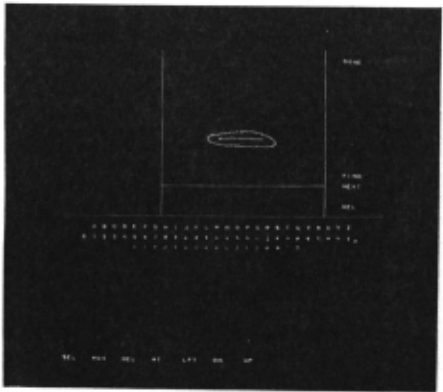
The trainer displays a scaled version of the drawn symbol on the left and calls the recognizer to analyze the symbol . If no match is found, the message '??' is displ ayed below the writing area.
* This work was performed under a subcontract of M.I.T. Lincoln Laboratory which is operated with support from the U.S. Advanced Research Projects Agency.
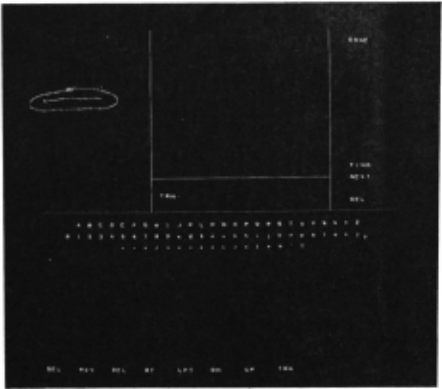
The user may now define this symbol by touch ing one of the character strings on the lower part of the screen, or by entering a string (in this case 'TRN') on the typewriter. This causes the properties of the drawn symbol to be entered in the dictionary and associated with 'TRN .' This is indicated by the message 'TRN ' displayed below the writing area.
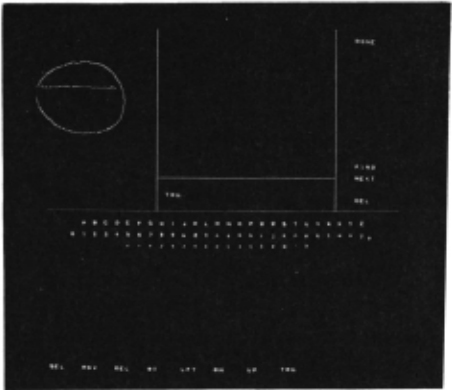
A somewhat different symbol might be a con ditional match to this dictionary entry. In this case, the message 'TRN?' appears , indicating conditional recognition.
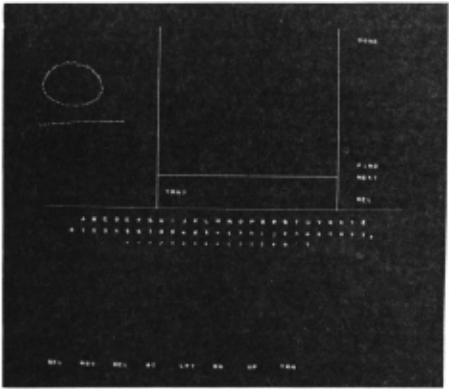
The user may, if he wishes, define this to be a second version of the symbol by touching the 1 TRN 1 target. From this point on, the recognizer will indicate exact recognition for either ver sion . (However, it is usually sufficient to define only one version of. a symbol, since appli cation programs do not distinguish between exact and conditional recognition.) The user could instead have defined this symbol as a different string; the recognizer would then distinguish the two symbols ·
The trainer allows the user to delete dic tionary entries with the 'DEL' target appearing on the right of the screen. He can also step through the entries for a given character string with the 'FIND ' and 'NEXT' targets, and examine the properties recorded for each entry. These facilities provide the user with the ability to edit a symbol set . This would be done, for exam ple, when the user wishes to replace the set of application-dependent symbols in an existing dictionary which contains symbols for the normal character set.
Creating a typical dictionary of about forty symbols takes about one-half hour of console t ime . Users feel that this minimal effort is a small price to pay for the ability to communicate with the computer in a way which i s natural and con venient to them.
An Example
There are a number of graphics applications on TX-2 which use the symbol input facility as the primary user interface. These applications include a graphical (two-dimensional) programming language,? a computer-aided logic design system,e and a program to assist in the layout of the photo masks required for the diffusion and etching processes involved in the fabrication of integrat ed circuits.s,lo A description of the operation of the mask layout program will indicate some of the interactive techniques which users have found convenient.
The mask designer must first create a dic tionary of symbols for the commands accepted by the program. He decides what symbol he wants to draw to make a transistor appear, for example, and defines this symbol as the string 'TRN.' The typical dictionary for this application contains about thirty of these symbols .
The user begins layout out a mask with the placement of components on the screen. To place a transistor mask, he draws his 'TRN' symbol where he wishes the transistor to be located.
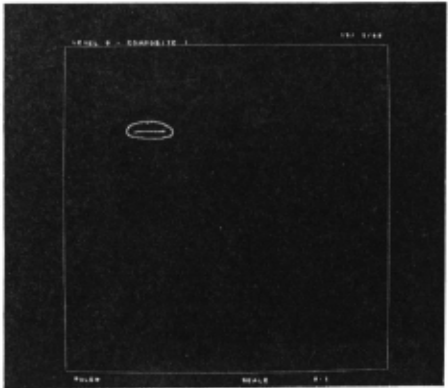
The symbol disappears and a transistor mask appears in its place .
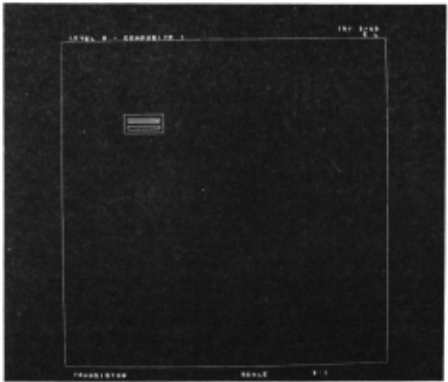
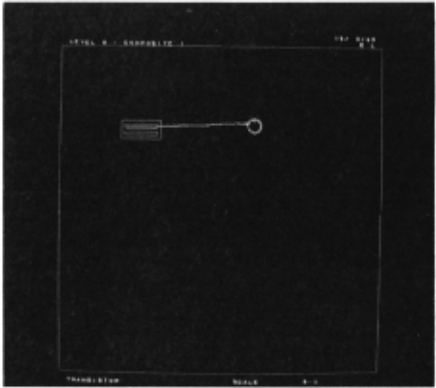
To attach a resistor to the right of this transis tor , he draws a 'RRES' symbol (for right-handed resistor). Resistors are of variable length, so the length of the symbol determines the length of the resistor mask created, The resistor symbol is recognized, and a resistor mask of the designated length appears, Various other types of components may be added to the picture in this way.
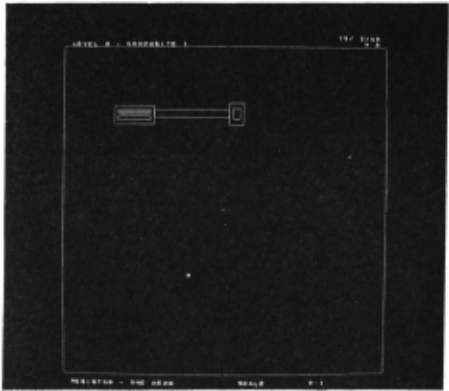
Picture manipulations are also specified by drawing symbols. A component or group of neigh boring components may be deleted by drawing a symbol defined as 'DEL' at the appropriate place on the screen .
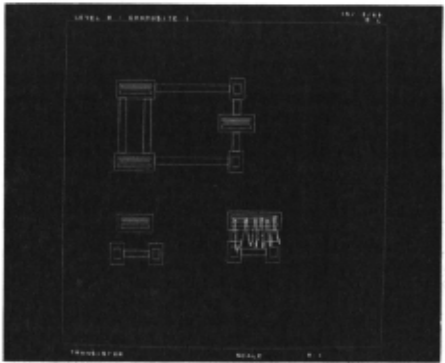
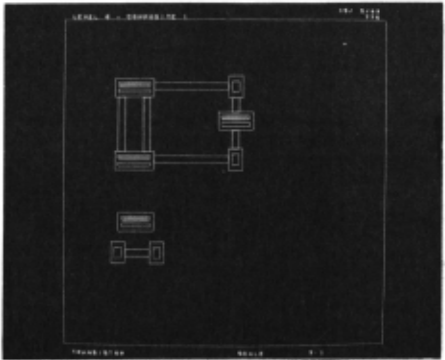
An existing component or group of components may be manipulated by first drawing a 'SEL' symbol over the components to select them for some fur ther operation, Each component within the bounds of the symbol is marked to indicate that it will be affected by the next command, When all desired components have been select ed (which may require several 'SEL' symbols if these components are not adjacent), the user may draw a 'MOV ' symbol to indicate the direction and extent of a translation operation.
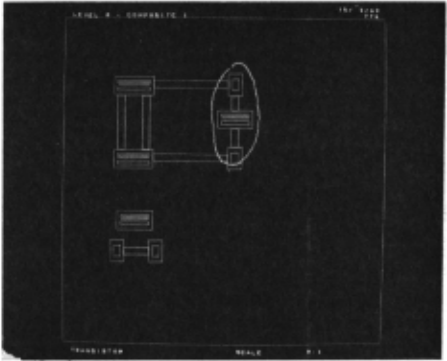
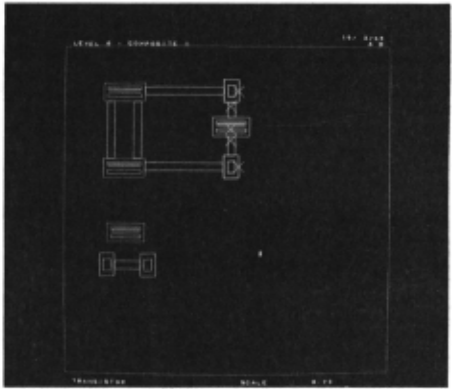
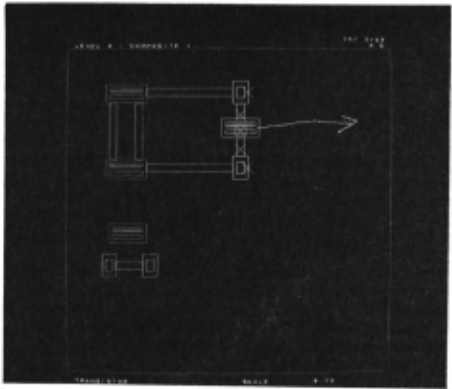
The selected components are moved by the des ignated offset.
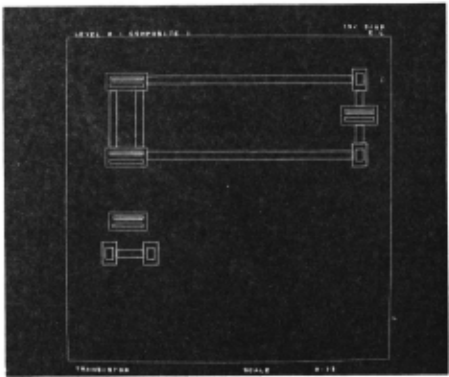
Other available move commands specify move ment to a designated point, and translation in the horizontal or vertical direction only, either through a designated distance or to a designated point. There are also commands for deleting all selected components and for placing a copy of the selected component set at a given point.
The user can also control how much of the mask being designed appears on the scope through commands for scaling and translating the entire picture. One useful command in this class is invoked by the 'FIT' symbol.
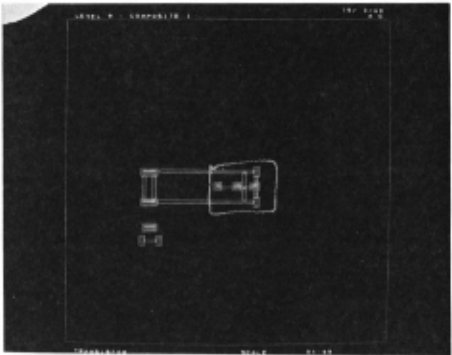
This symbol causes the enclosed portion of the picture to be scaled to full screen size for more detailed work .
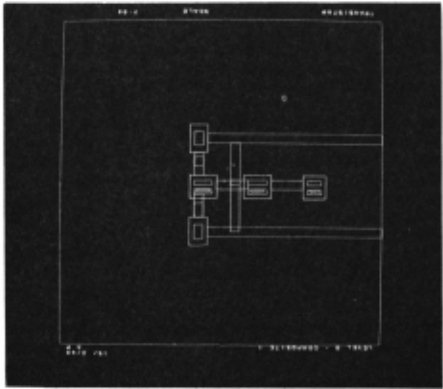
other commands give the user the ability to name the current circuit and save it in his fil~ system, and to recover and merge named circuits. The circuit name may be drawn on the tablet with alphanumeric symbols. However, users generally find it more convenient to enter the name on the typewriter.
It is often convenient to have a symbol which calls the trainer from the application pro gram. The dictionary can be refined or augmente~ and layout work then resumed using the new symbol set.
Language Facilities
Most of the graphics programming on TX-2, including the application described above , is done in LEAP, 5 an AlGOL-based language to which constructs have been added for data structure manipulation, homogenous matrix operations, dis pl ay output, file handling, and other facilities oriented to time- shared graphics . These con structs make the implementation of picture manip ulations such as t hose involved in t he mask lay out program straightforward for the pr ogrammer . LEAP has been further extended to allow simple but powerful language forms for monitoring inter active events and communicating with the symbol recognizer. (LEAP is implemented in VITAL,u a compiler-writing system, permitting easy exten sion of the language.) The skeletion LEAP pro gram below illustrates t he level of programmer effort required to incorporate sophisticated tablet input into an application program. (Cer t ain syntactic liberties have been taken in this example to make it more intelligible to t he uninitiated reader.)
| START (FILE R); | Declare an input parameter R of data type 1 file name' which will be typed when the program is called. | |
| R-RECOGNIZER; | Store the file name into the reserved variable RECOGNIZER to establish the file as the symbol dictionary to be used by the recognition facility. | |
| ACTIVATE TABLET; | Request the interactive event monitoring system to display and buffer the pen track and push an event into the input queue when drawing is com pleted. (Monitoring of other events such as button pushes, target hits, etc., might also have been requested.) | |
| NEXT: | Pop an event from the input queue (pausing until an event occurs if the queue i s empty) and set the reserved integer variable CAUSE to the iden tification number for the even~ | |
| ~ ON CAUSE TO ••• ,SYMOOL, ••• ; | Branch on the event number to the label of the appropriate processing section for the event. | |
| SYMBOL: | RECOGNIZE; | A tablet action has been completed. Analyze t he pen track us ing the symbol set named in RECOG NIZER. The reserved string variable sYM1iOLTs set to the associated text string ; XCEN , YCEN , WIDTH, HIGHT indicate t he center and dimensions of the dXaWn symbol, The buffer of tablet point i s al so available in the two dimensional array |
| s INK if additional information is needed (for example, the startpoint of t he symbol ) , | ||
| Er ase t he drawn symbol. | ||
| EXECUTE CASE SYMBOL OF | Execute the code for the action indicated by SYMOOL, | |
| BEGIN | ||
| CASE I 1 : | The nullstring indicates the symbol was not rec ognized. Typically a pattern i s flashed on the screen or an audible si gnal given when this occurs. | |
| CASE 1 TRN 1 : | Place a transistor mask at~' ~· | |
| CASE 1 SEL 1 : | Record and mark all components whose centers are within the rectangle described by XCEN , YCEN, ~' HIGHT. -- -- | |
| CASE 1 MOV 1 : | Move all selected components through the distance indicated by the first and last points of the | |
| first stroke as recorded in the array INK, | ||
| Sl2 :!:2. ~; | ||
| FINISH |
Conclusion
We feel that the techniques described above are a significant improvement on conventional interactive input. In most instances, only gra phical information is drawn; text and commands must be specified through either targets on the screen (which clutter the picture and increase display load) or auxilliary keyboards or push button arrays (which are distracting and have only limited mnemonic value). With a symbol recognition f acility, the user can input graphi cal, textual, and command information with a single device which i s natural and convenient to use.
The most beneficial result of adding these facilities to the TX-2 graphics system has been that experimentation with the man-machine inter face has been greatly simplified. Experience has shown that a major obstacle in developing applications programs is getting a potential user to decide what he wants to say to the computer and how he wants to say it. The flexibility now provided in this area for both the programmer and the user has contributed significantly to the faster development of useful graphics applica tions.
@inproceedings{ijcai1969p4,
  title     = {A Tablet Input Facility for an Interactive Graphics System},
  author    = {Curry, James E.},
  booktitle = {Proceedings of the First International Joint Conference on
               Artificial Intelligence, {IJCAI-69}},
  publisher = {International Joint Conferences on Artificial Intelligence},
  editor    = {Donald E. Walker and Lewis M. Norton},
  pages     = {33--40},
  year      = {1969},
  month     = {5},
  note      = {Man-machine Symbiosis in Problem Solving},
  url       = {https://ijcai.org/proceedings/1969/4},
}
TY - CPAPER TI - A Tablet Input Facility for an Interactive Graphics System AU - Curry, James E. T2 - Proceedings of the First International Joint Conference on Artificial Intelligence, IJCAI-69 PB - International Joint Conferences on Artificial Intelligence PY - 1969 SP - 33 EP - 40 UR - https://ijcai.org/proceedings/1969/4 ER -Copied
Machine-readable versions of this paper, for tools and AI agents: